The RTL systems implementer's Swiss army knife.
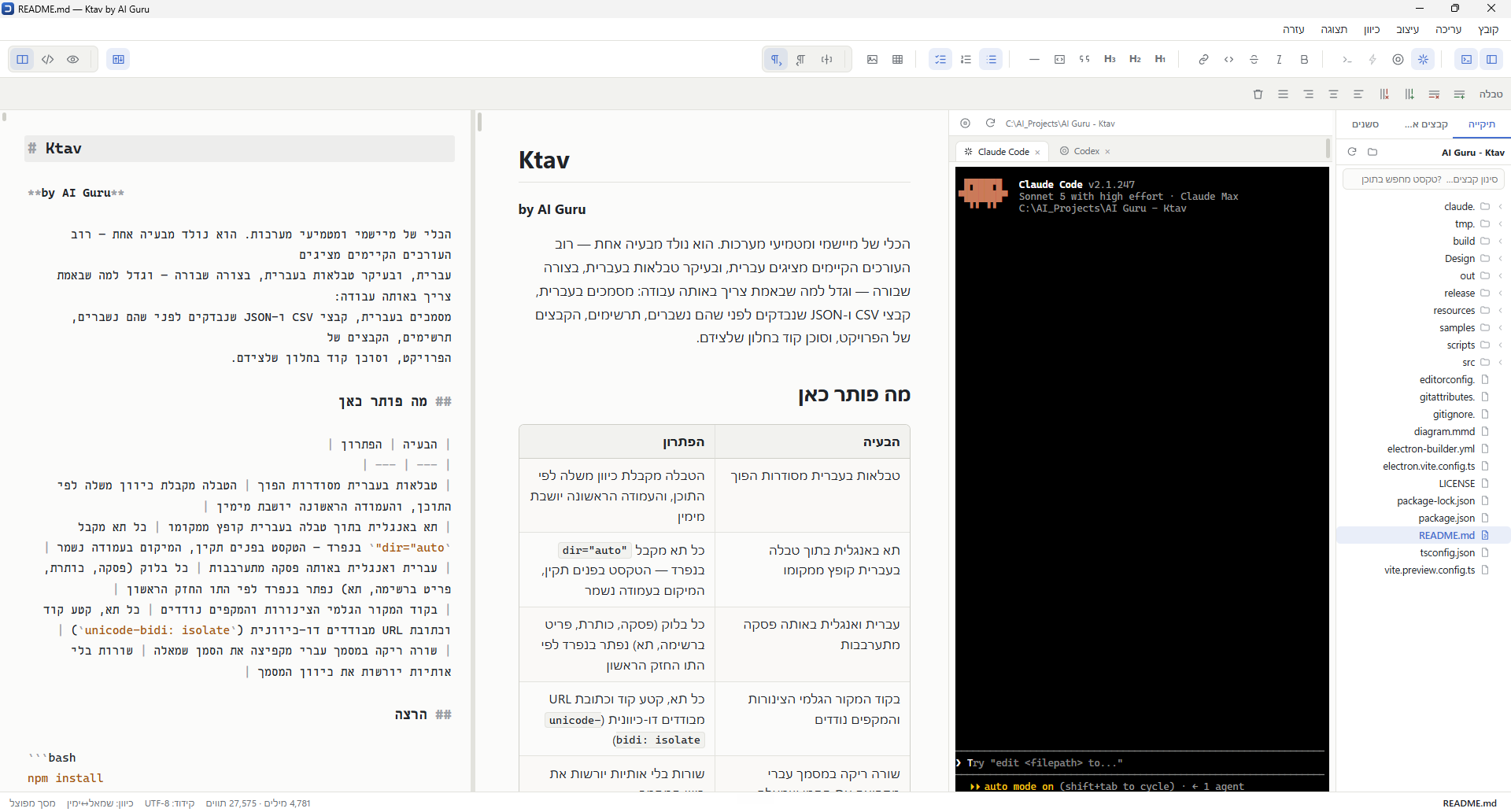
A spec document in Hebrew, a forty-thousand-row migration file checked before it breaks, a sketch for a client meeting, an architecture diagram, the project's config files, and a coding agent — in one window. And right-to-left that finally reads correctly, tables included.
| מוצר | מחיר | קטגוריה |
| --- | --- | --- |
| מקלדת אלחוטית | 249 | ציוד היקפי |
| מסך רחב | 1,190 | מסכים |
| لوحة مفاتيح لاسلكية | 249 | ملحقات |
| شاشة عريضة | 1,190 | شاشات |
| מוצר | מחיר | קטגוריה |
|---|---|---|
| מקלדת אלחוטית | 249 | ציוד היקפי |
| מסך רחב | 1,190 | מסכים |
| لوحة مفاتيح لاسلكية | 249 | ملحقات |
| شاشة عريضة | 1,190 | شاشات |
An implementer's working day, and what opens for it.
None of these jobs needs a large application. They need seven small ones, and every switch between them is a file saved in somebody else's format.
| The job | What opens today | In Ktav |
|---|---|---|
| A spec document in Hebrew | Word — and the tables come out backwards | Formatted view, tables with real cells |
| A 40,000-row migration file | Excel — which mangles encodings and truncates long ids | A virtualised grid and an inspector that names what is broken |
| A payload that came back from an API | Notepad++ and your own eyes | Structure view, validation, and comparison against a reference |
| A screen sketch in a client meeting | draw.io, or a whiteboard photographed into WhatsApp | A drawing board that saves an ordinary SVG |
| An architecture diagram for the docs | Visio, and a picture nobody can edit afterwards | Mermaid from inside the document, exported to SVG or PNG |
Glancing at .env or nginx.conf |
A whole IDE, opened for one line | Opens immediately, as text, saved byte for byte |
| A coding agent working on the folder | A separate terminal window beside everything else | A panel next to the document, scoped to the open folder |
Eight things, and why each one was built this way.
Direction is resolved per block, not per document
Every paragraph, heading, list item and every individual table cell works out its own direction from the first strong character it contains. That is the difference between a table whose first column is on the right and a table that reads backwards.
- Hebrew, Arabic, Syriac, Thaana, NKo, Samaritan and Mandaic
- Not one physical CSS property in the stylesheets — the layout mirrors itself
- Shortcuts match the physical key, so Ctrl+B survives a Hebrew keyboard layout
- Interface language and document direction are independent axes
249 ₪ is digits and a
currency sign — both neutral — so the cell takes its direction from whatever
surrounds it. That is precisely why the decision belongs to the cell and not
to the table.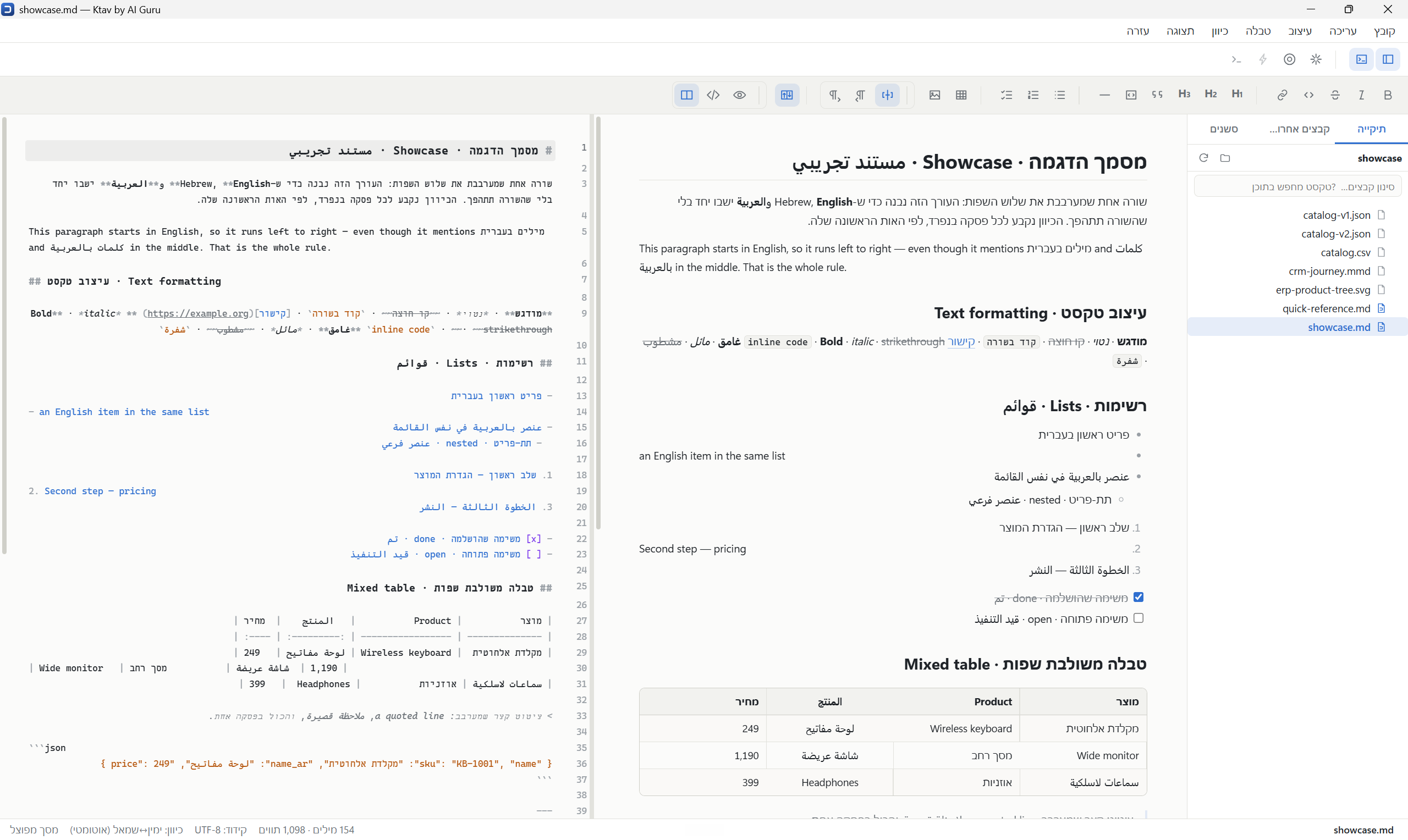
Markdown in three views, and the file comes back as it was
Ctrl+1 formatted view, Ctrl+2 source, Ctrl+3 split with synchronised scrolling. Ctrl+E cycles between them.
- Paste from Word, Google Docs, Excel and web pages becomes clean Markdown
- YAML front matter is preserved; raw HTML passes through untouched
- No linkify and no typographer — your text is not rewritten behind your back
- Search ignores niqqud:
שלוםfindsשָׁלוֹם - A pasted screenshot is saved to
images/beside the file, relatively linked - Tables are written with pipes aligned to real display width
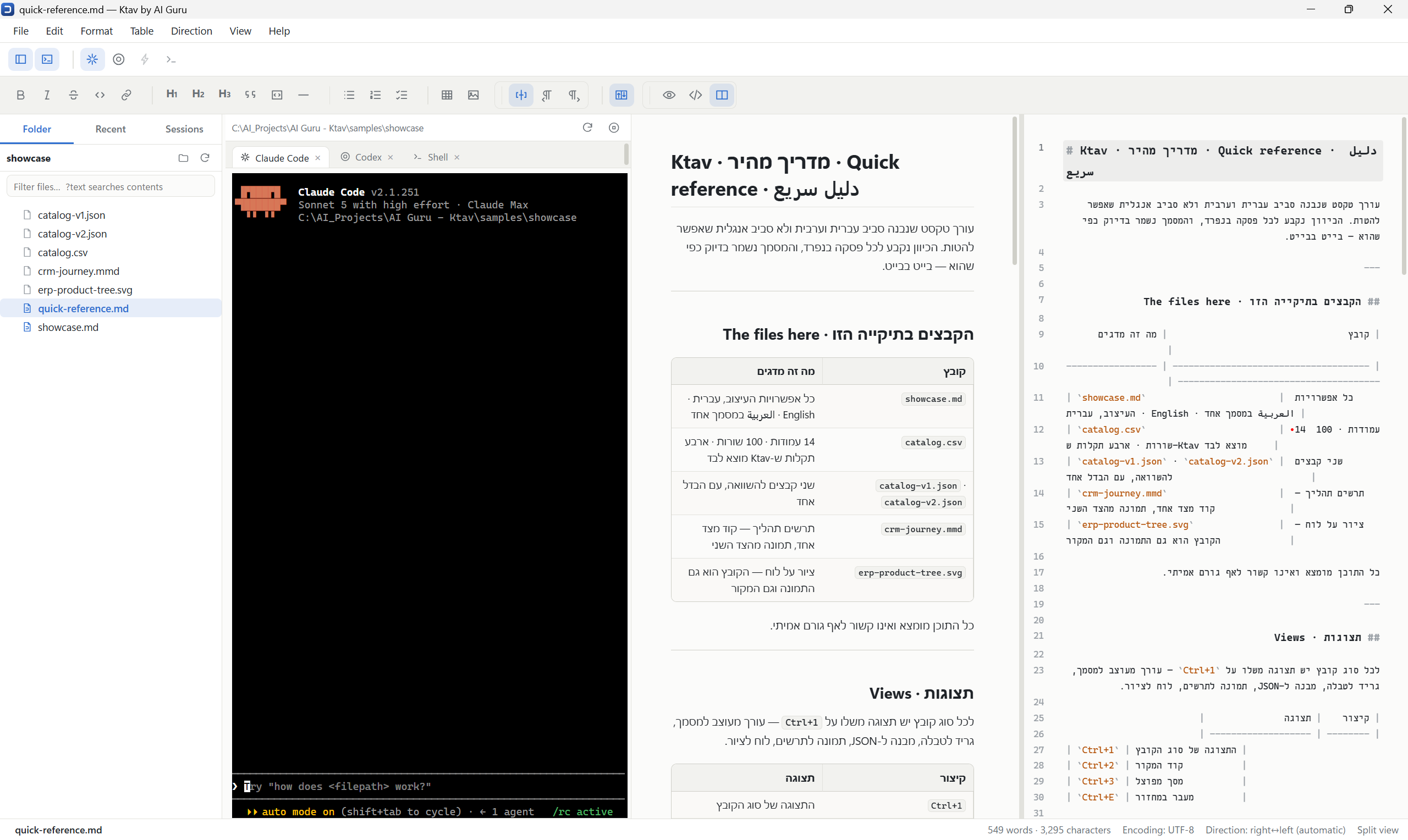
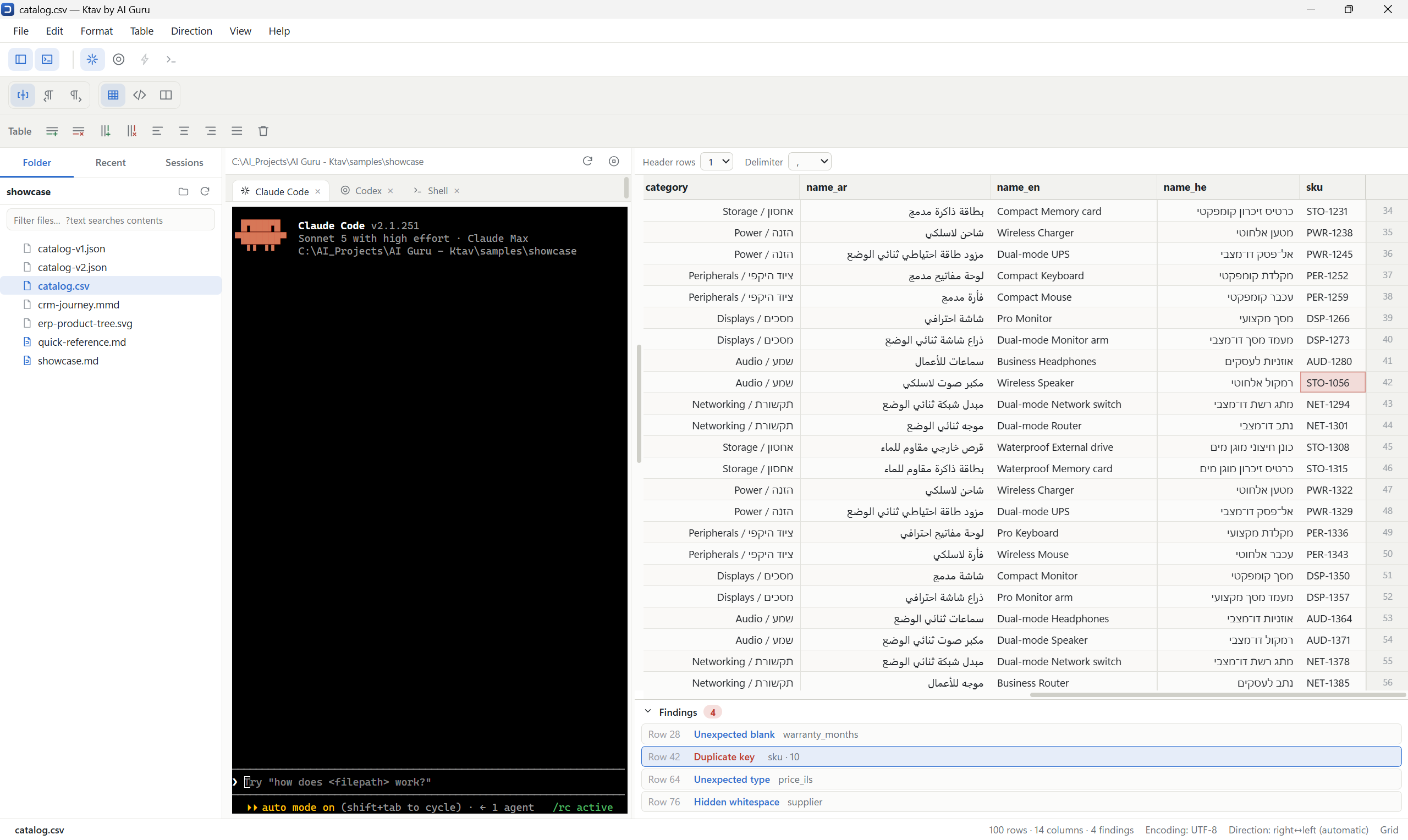
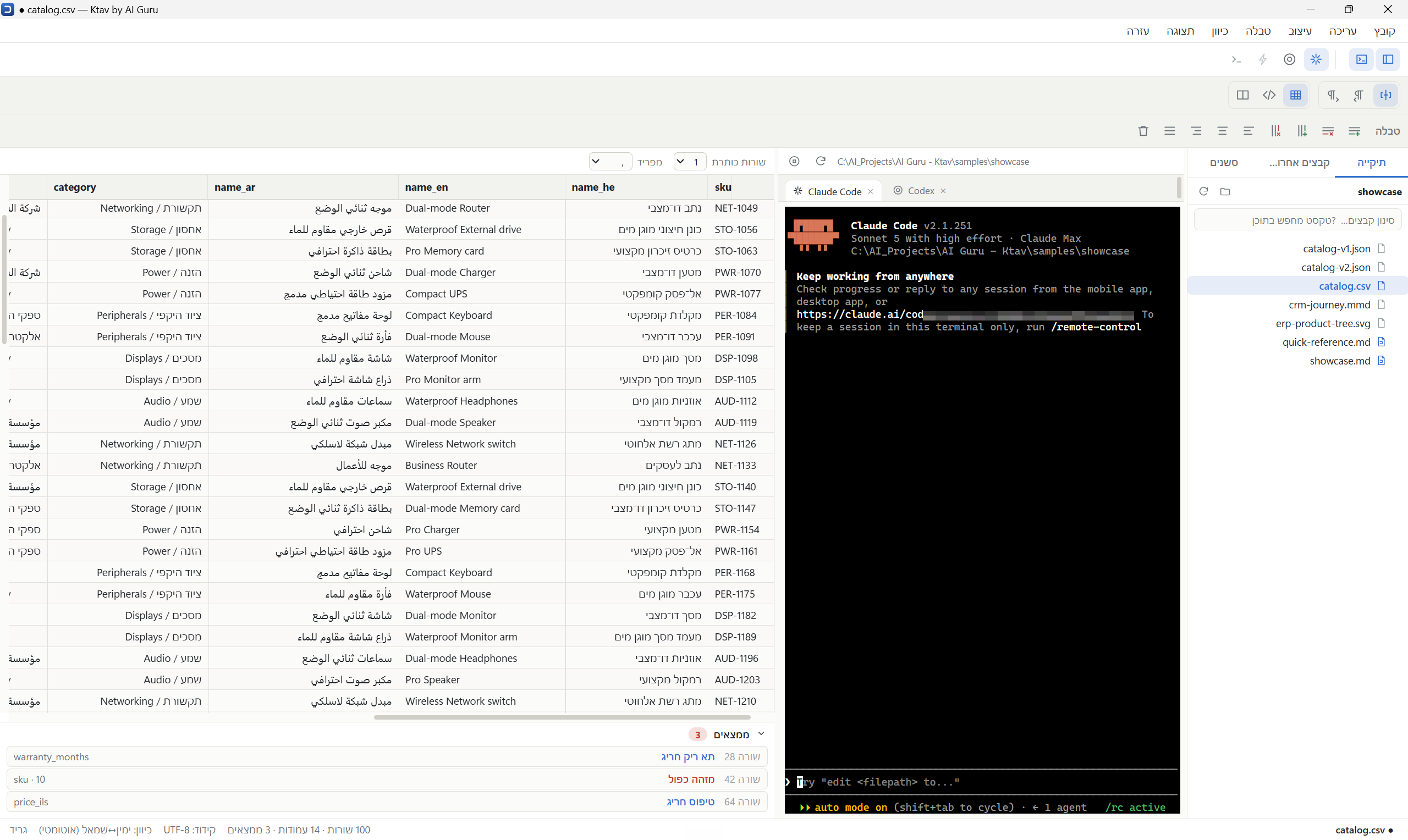
The file opens in a grid, and its defects sit underneath it
A 50,000-row file opens as fast as one with 30, because only the visible rows are drawn. Beneath the grid is a findings list; clicking a finding jumps to its cell.
- Truncated row — almost always a separator that was never escaped
- Duplicate key — and only in a column that behaves like an identifier
- Hidden whitespace — the cause of half of all "the value wasn't found" reports
- Unexpected blank and unexpected type in a column where everything else is filled
- Mojibake — text that has been through an encoding twice
- Empty column — reported once per column, not once per row
The dialect the file arrived in — separator, line ending, quoting — is kept exactly. A file opened and saved without editing comes back byte for byte. Two header rows are detected automatically, because an export often carries a Hebrew caption above the technical field names.
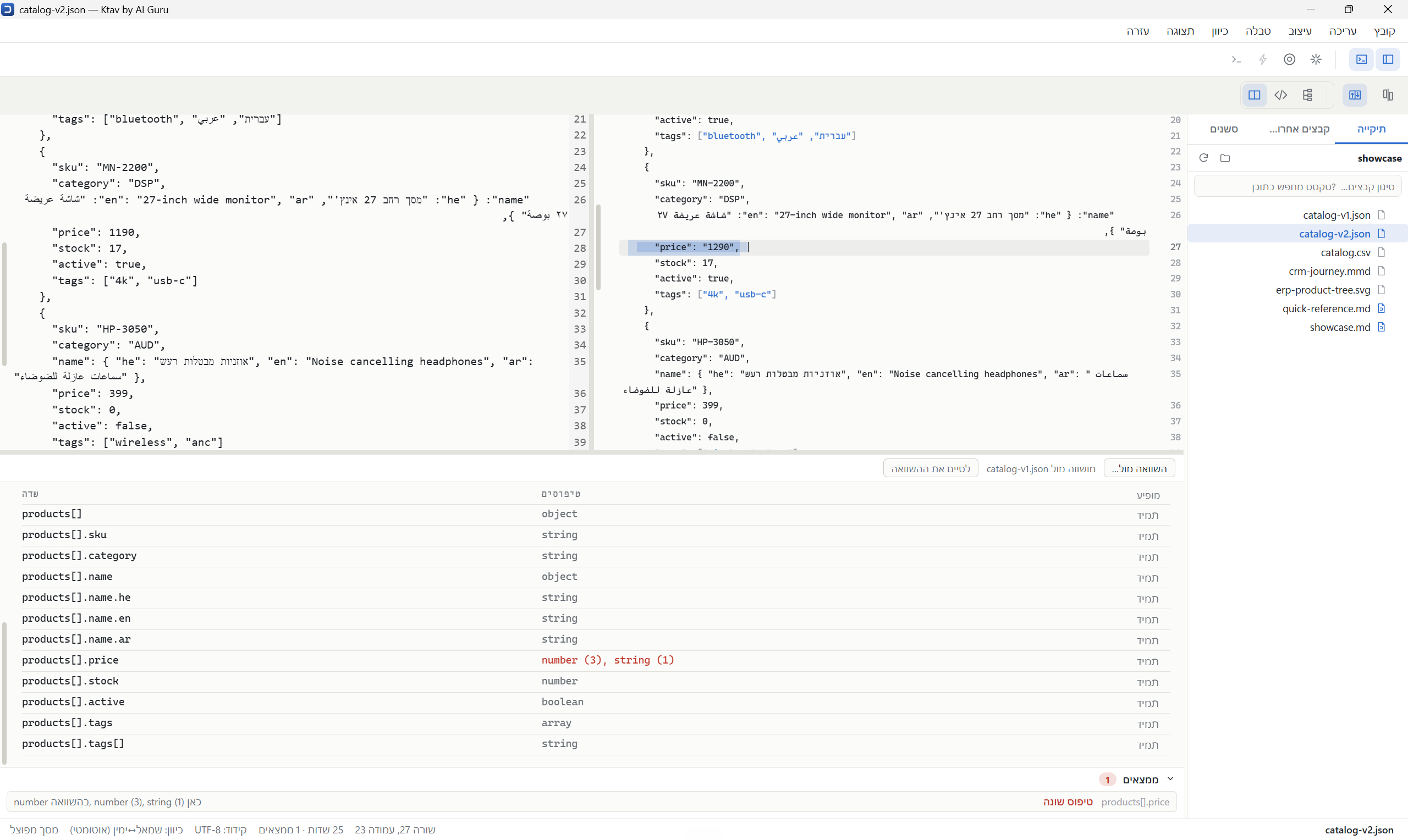
What actually arrived in the payload
A file of fifteen thousand records reduces to six lines, and each one says what the field is called, which types appeared in it, and how often it was really there. Array members collapse together — without that, the "structure" of a large file is a second copy of it.
- A syntax error with line and column — reported alone, because everything after it is derived from it
- Duplicate key: the file parsed, but one value was silently overwritten
- A number losing precision — an identifier too long for JavaScript
- Comparison against a schema or a sample, and it works out which by itself
- "Not always here" — a field present in every reference record and in 787 of 792 here
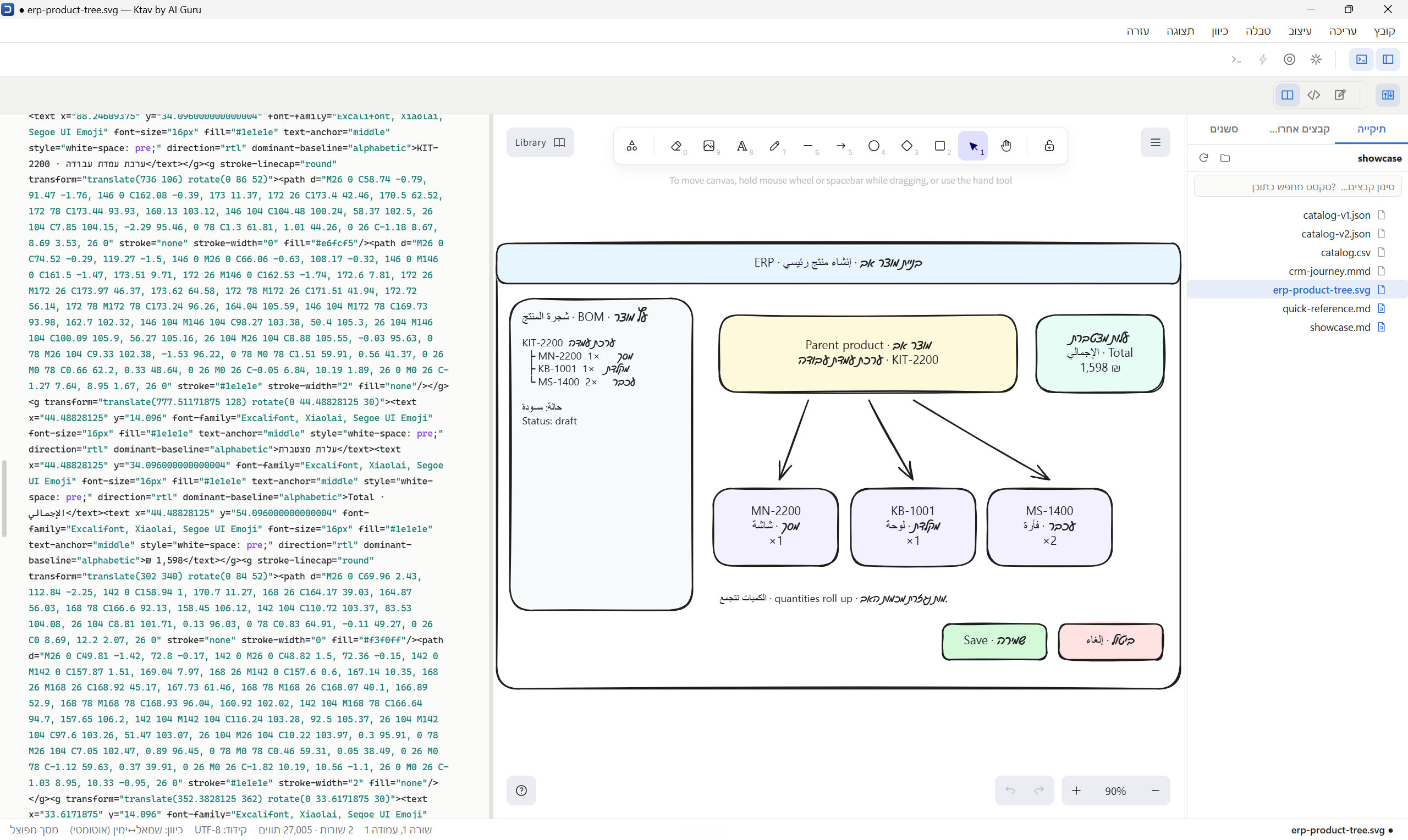
A sketch for a spec meeting that stays an ordinary image file
There is a moment in a requirements conversation that a diagram does not
cover: where the button sits, what the screen looks like. An .svg
file opens as an infinite surface with shapes, arrows, text and freehand.
The file stays an ordinary image — that is the whole design. Exactly the same bytes are the picture the client opens in a browser or in Word, the file that goes into the spec document by relative path, and the source you keep editing at the next meeting. There is no format here that only Ktav can open.
- Ctrl+2 shows the SVG as text, like any other file
- An SVG somebody else drew opens as an empty board, not as an error
- Fonts are packaged with the application — the board works on a plane
- Eight megabytes load only when a drawing opens; the main chunk grew by 248KB
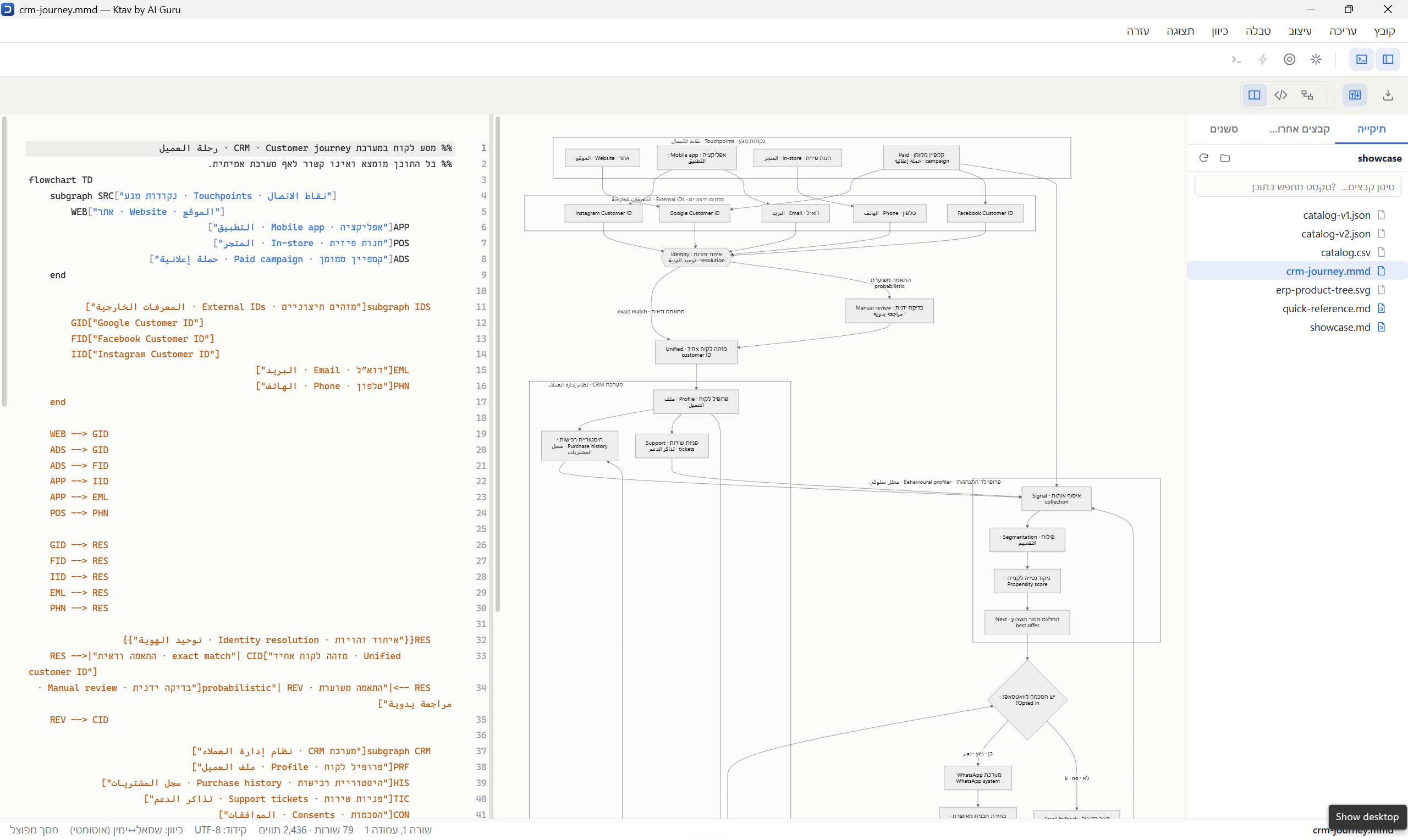
Mermaid from inside the document, without leaving it
A ```mermaid block inside a document is drawn as a diagram and
stays an ordinary code block — the text is the document, the picture is a
view of it. The file still opens as standard Markdown in any other editor,
and GitHub and Notion will draw it too.
- The code opens above the picture when the cursor enters, redrawing as you type
- A diagram that will not parse shows the line it failed on instead of collapsing the editor
- An
.mmdfile opens as a document of its own, in split view - Export to SVG, or PNG at 2×. No JPG, deliberately
The agent sits in the window, not in another window
The top toolbar carries a mark for each agent — Claude Code, Codex, Grok, and
after them a quieter >_ for a plain shell. Clicking one starts
it in the open folder, always and only there, and opens the panel. It is
the real CLI: plan mode, / commands, permission prompts, MCP and
subagents all work, because none of it was rebuilt here.
- The card says which model is answering and at what effort, read from the tail of the transcript
- An agent that is not installed is dimmed rather than missing
- A Sessions tab lists what ran in this folder — read-only, never written to
- Hebrew renders correctly in the terminal, which was an investigation of its own
The bytes decide what opens, not a list of extensions
.env, .ts, nginx.conf, a file with no
extension at all. Formats that announce themselves in their first bytes are
turned away by signature, and what is left gets measured: more than one per
cent control bytes in the first 8KB, and it is not text.
- Measured across 4,195 files in four real project folders
- Zero binaries admitted, zero source files refused
- Only two directories stay hidden:
node_modulesand.git .claude,.githuband.vscodeare shown
Free in every version below 1.0.0.
Beta means every version numbered below 1.0.0, and it is entirely free — every capability, no account, no time limit and no locked features. A paid version is planned from 1.0.0 onwards; what you installed during the beta keeps working.
Windows will warn you on first run
The installer is not code-signed yet, so SmartScreen shows a blue warning saying the publisher is unrecognised. Click More info, then Run anyway. We would rather you read that here than meet it unannounced — a certificate is on the list.
It sends nothing anywhere
No telemetry, no analytics, no automatic update check, no account. The only addresses in the program are menu items that hand a URL to your own browser. The one exception is the obvious one: the agent panel runs a coding-agent CLI you installed yourself, and it talks to its own provider.
One email when 1.0.0 lands.
A single message, when the first stable release is signed and out — which is when the beta ends. Nothing else, and no list to be added to afterwards.